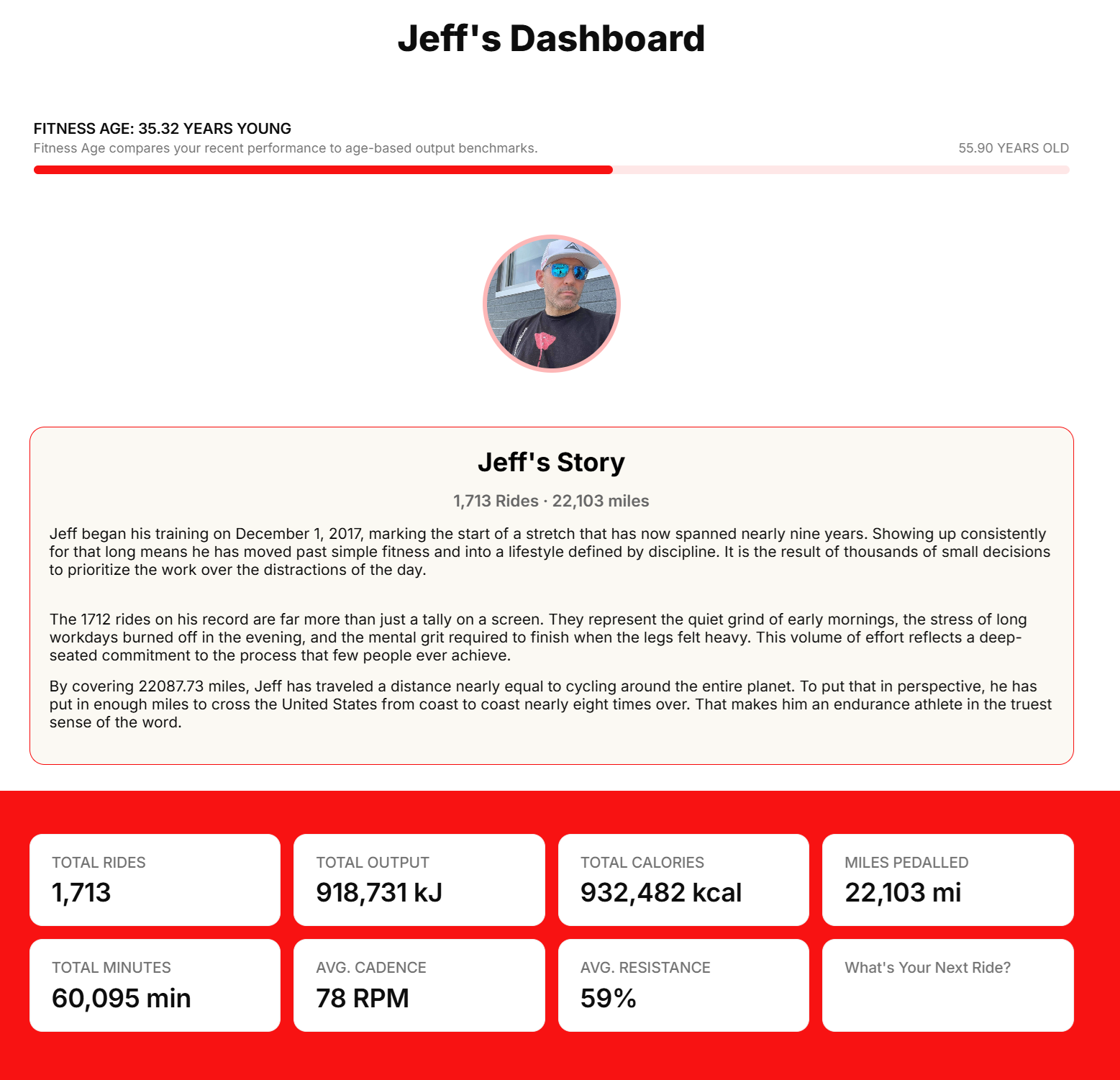
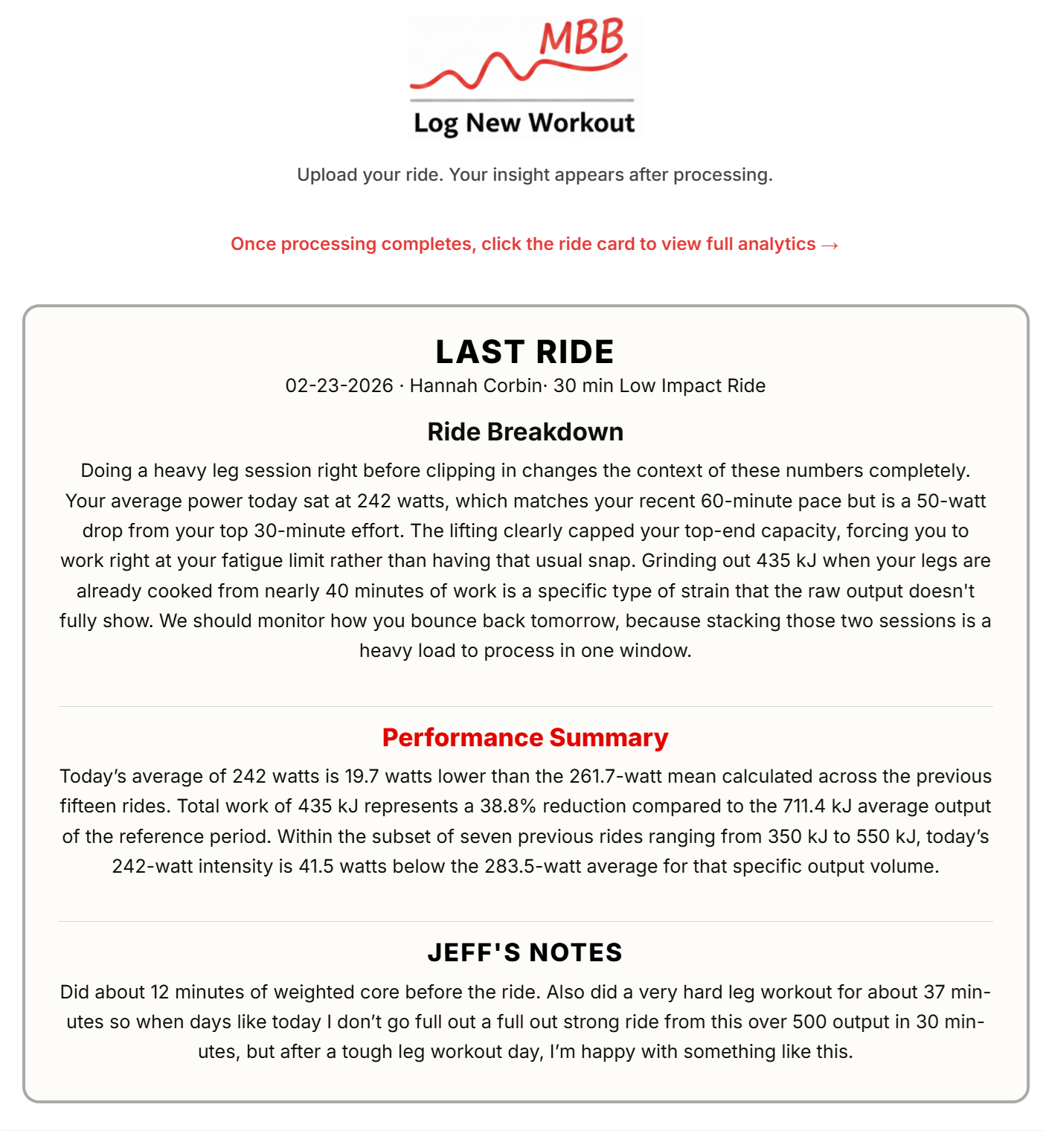
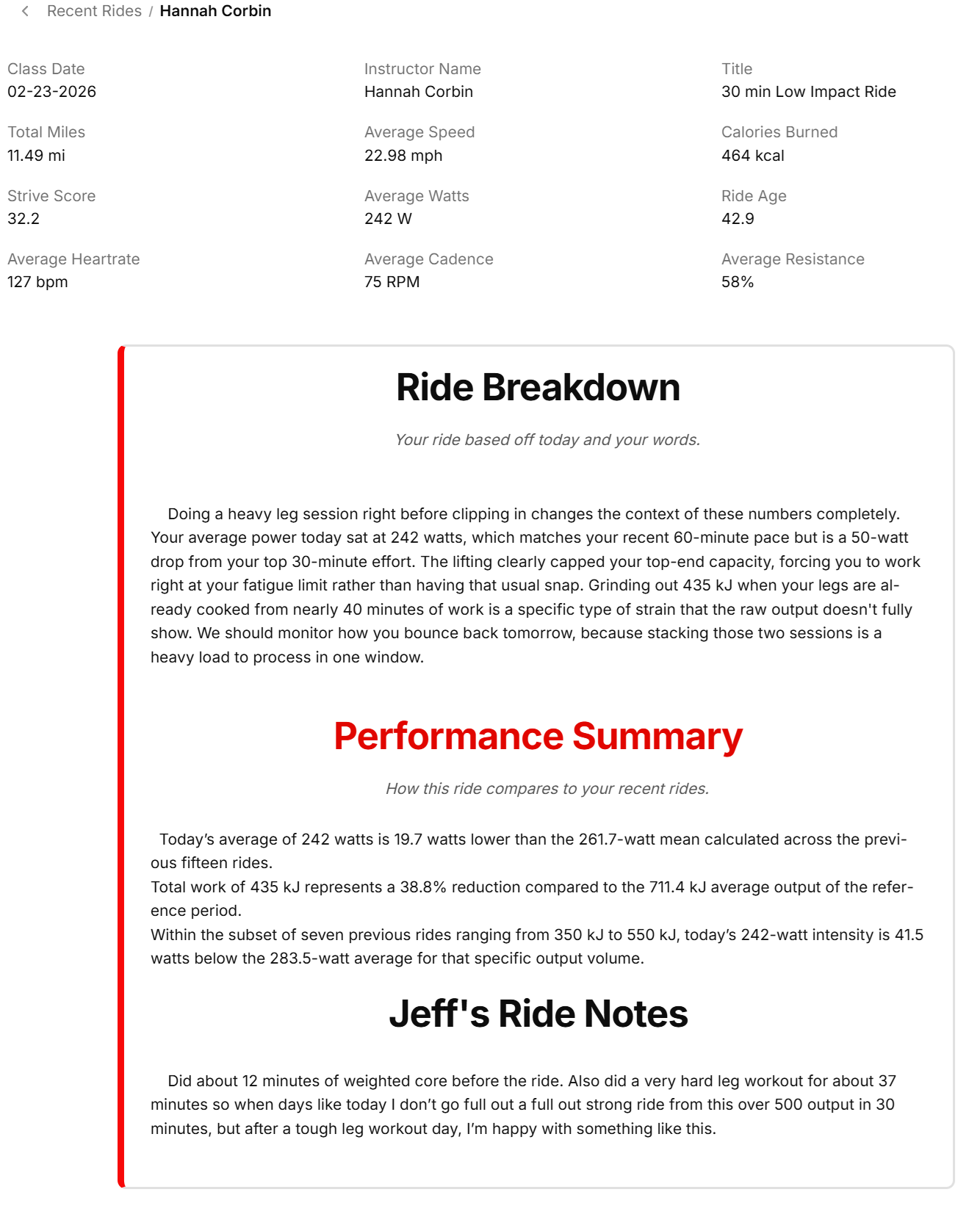
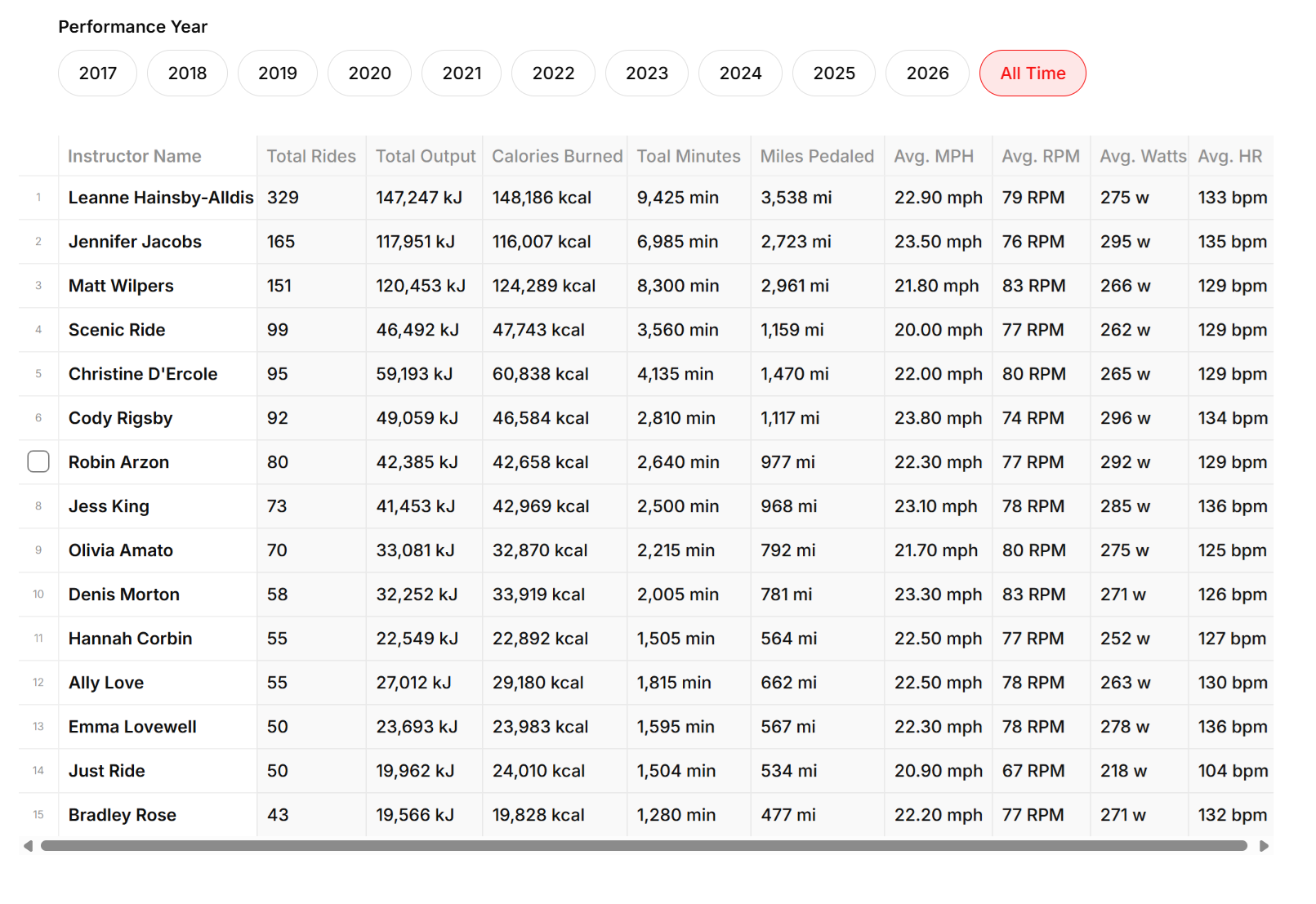
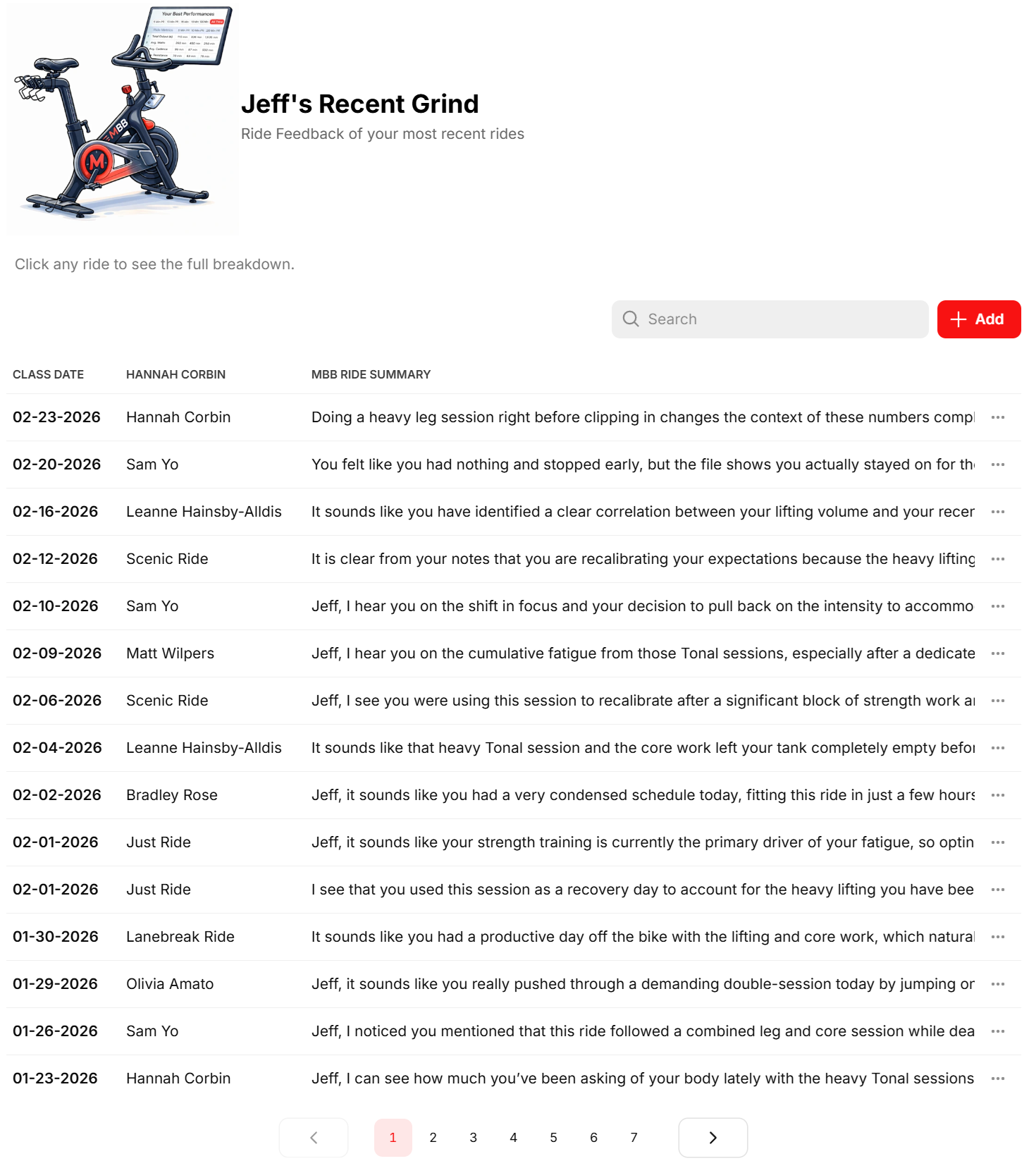
Your ride goes beyond the leaderboard. Now it has a voice.
After each workout, take a quick pic of your ride and say what the ride felt like. Maybe your legs were tired, you felt great, you didn’t have it today, or it was just a recovery ride. MyBikingBuddy compares it with your recent rides and responds with feedback that actually listens and remembers you.
Your ride, put into words.
After each ride, take a picture of your summary and add any notes about how you felt or anything else that affected the workout. Maybe your legs were tired, you felt great, you didn’t have it today, or it was just a recovery ride. MyBikingBuddy compares it with your recent rides, recognizes your patterns, and gives feedback that actually listens and remembers.
Unlock Your Full Peloton Story
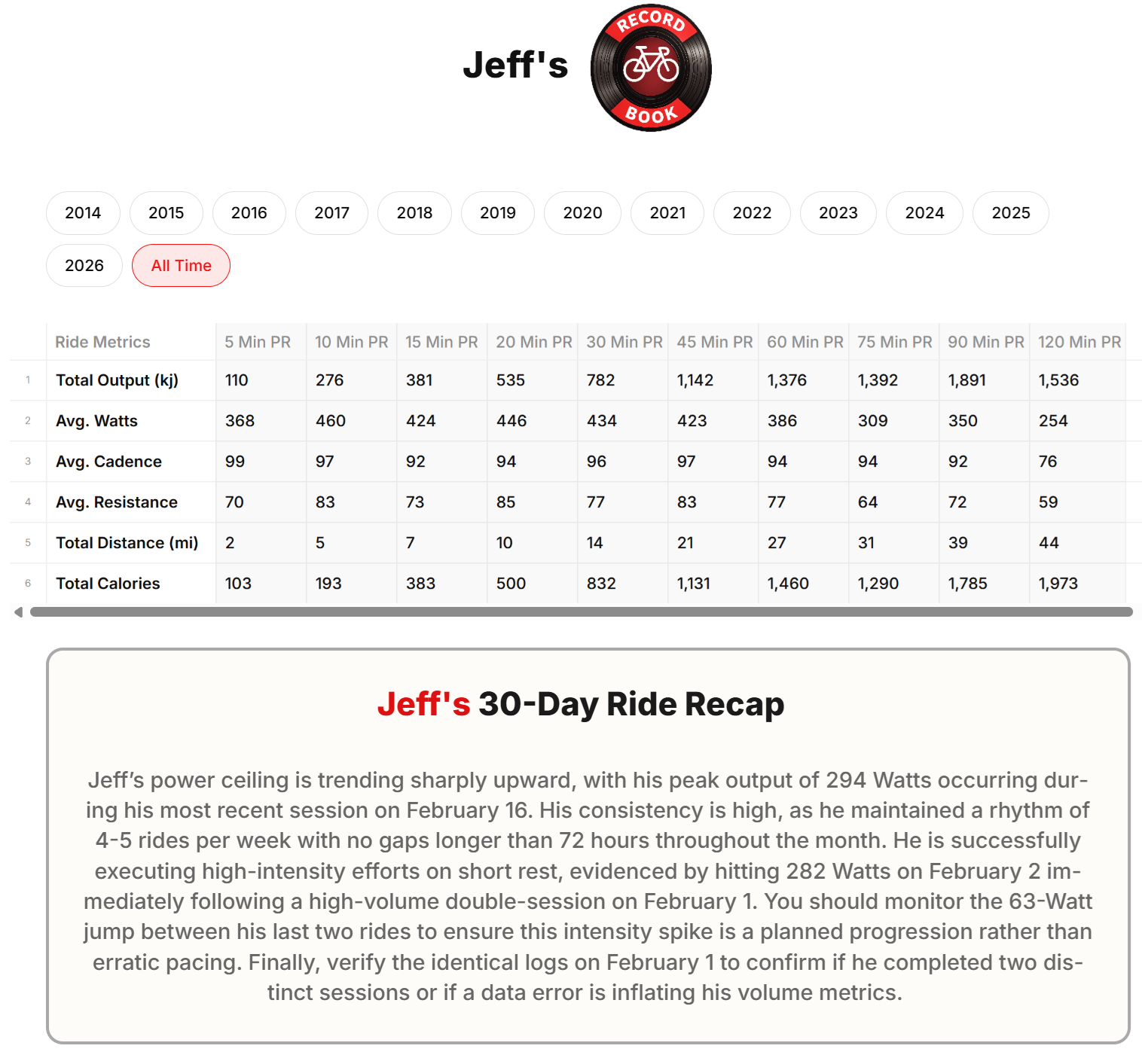
See what every ride has been building toward, your complete history, performance patterns, and coaching shaped by every session you log.
Monthly
- Full performance insights
- Records, PRs, trends
- Personalized coaching
- Cancel anytime
Annual
- Everything in Monthly
- Save over 30%
- One payment, full year
- No surprises
What Happens After You Join
You are not connecting accounts or giving access to anything. You simply upload your rides and MyBikingBuddy builds your riding history around you.
1. Create your account
You sign in and set up your profile.
2. Upload your ride history (one time)
Download your ride history from Peloton and upload it once. It takes about a minute and lets MyBikingBuddy understand your past rides.
3. After each ride
Upload a screenshot of your ride summary.
4. Add notes if you want
Write how the ride felt. Tired legs, great energy, bad sleep, recovery day, anything you noticed.
5. Your dashboard builds automatically
Your records, comparisons, patterns, and ride interpretations begin updating after every ride.
Inside MyBikingBuddy